 Dandelion Creations
Multilingual: English and Afrikaans
Turn school notes into study material that sticks.
Add your notes, photos of pages or a PDF. AceIQ makes colour coded summaries, flashcards, mind maps and practice tests, plans the exam timetable and shows what still needs to be learned. In English or Afrikaans, in your own Google Sheet.
One payment. No subscription. Year end special, R499 from 2027. 72 hour demo included. Make your own copy of the demo sheet, then start the demo with the key ACE-DEMO-2026.
Best for learners from Grade 1 to Grade 12 and the parents who help them study. CAPS, IEB and Cambridge.
Long notes are hard to study from.
A whole term of notes is a lot to read the night before a test. AceIQ reads all of it for you and gives your child something they can actually revise from.
Built from your own notes
Summaries, cards and questions come from what the teacher taught, not from the internet. Every line is checked against your notes before you see it.
Colour that helps
Each topic gets its own colour. Terms, examples, formulas and reminders are marked in words too, so nothing depends on colour alone.
Owned, not rented
No monthly fee and no per child pricing. It runs in your own Google account, so it keeps working.
How it works
From ordering to your first summary in three steps.
Get your sheet and key
Order and we email you the sheet link and your activation key.
Set it up once
A short guide walks you through it. Add a free AI key, then add your child as a learner.
Add notes, press one button
Paste text, upload a PDF or snap photos of pages. AceIQ makes the study material in a few minutes.
AceIQ uses your own free Groq AI key, so there is no AI bill from us. The free key has a daily allowance. If it runs out, AceIQ tells you plainly and you carry on tomorrow.
Six tools from one set of notes
Add the notes once. AceIQ makes the rest.
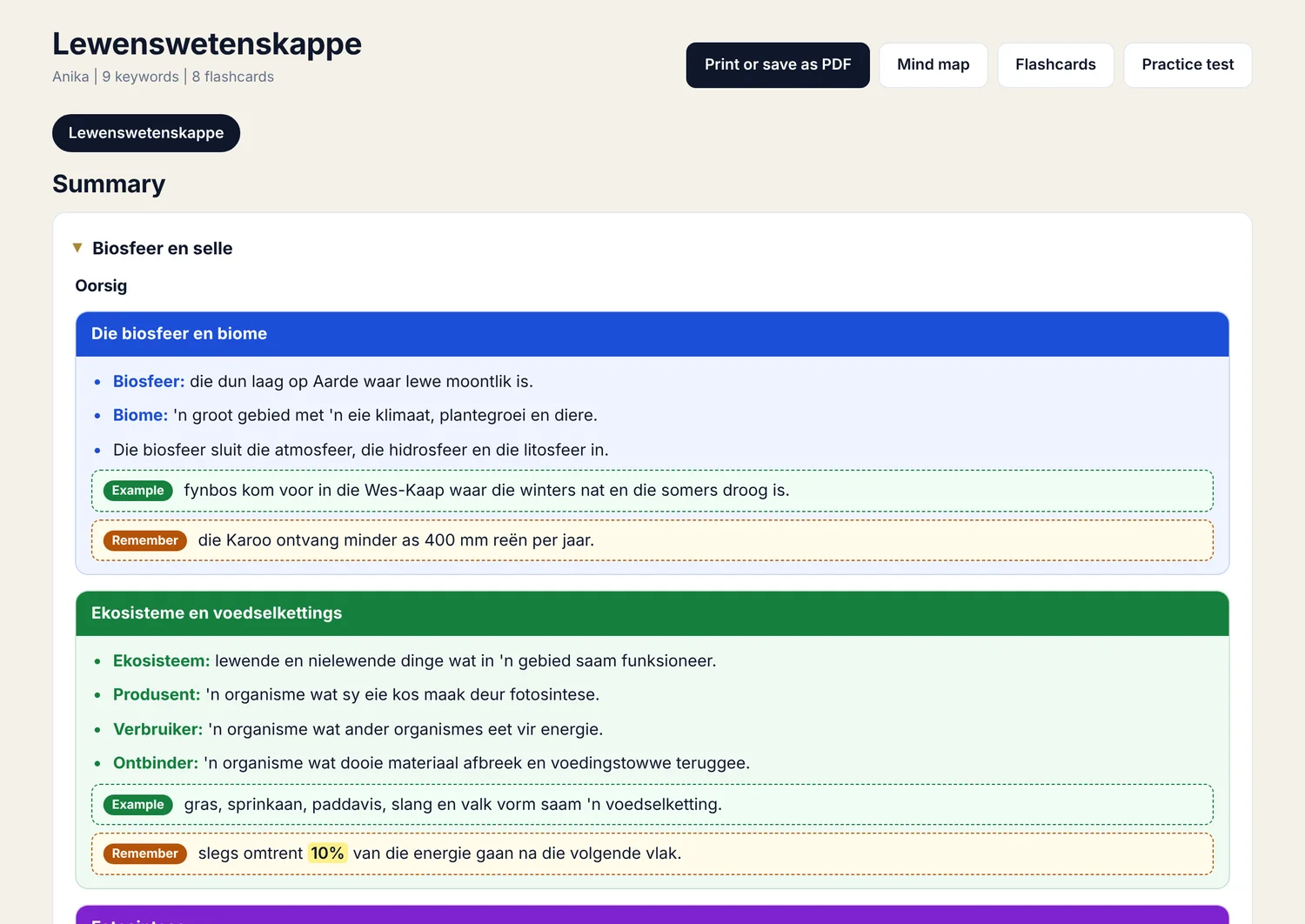
Summaries and keywords
Short, clear lines under coloured headings, with the key terms pulled out and a search box to find any of them. Print it or save it as a PDF.
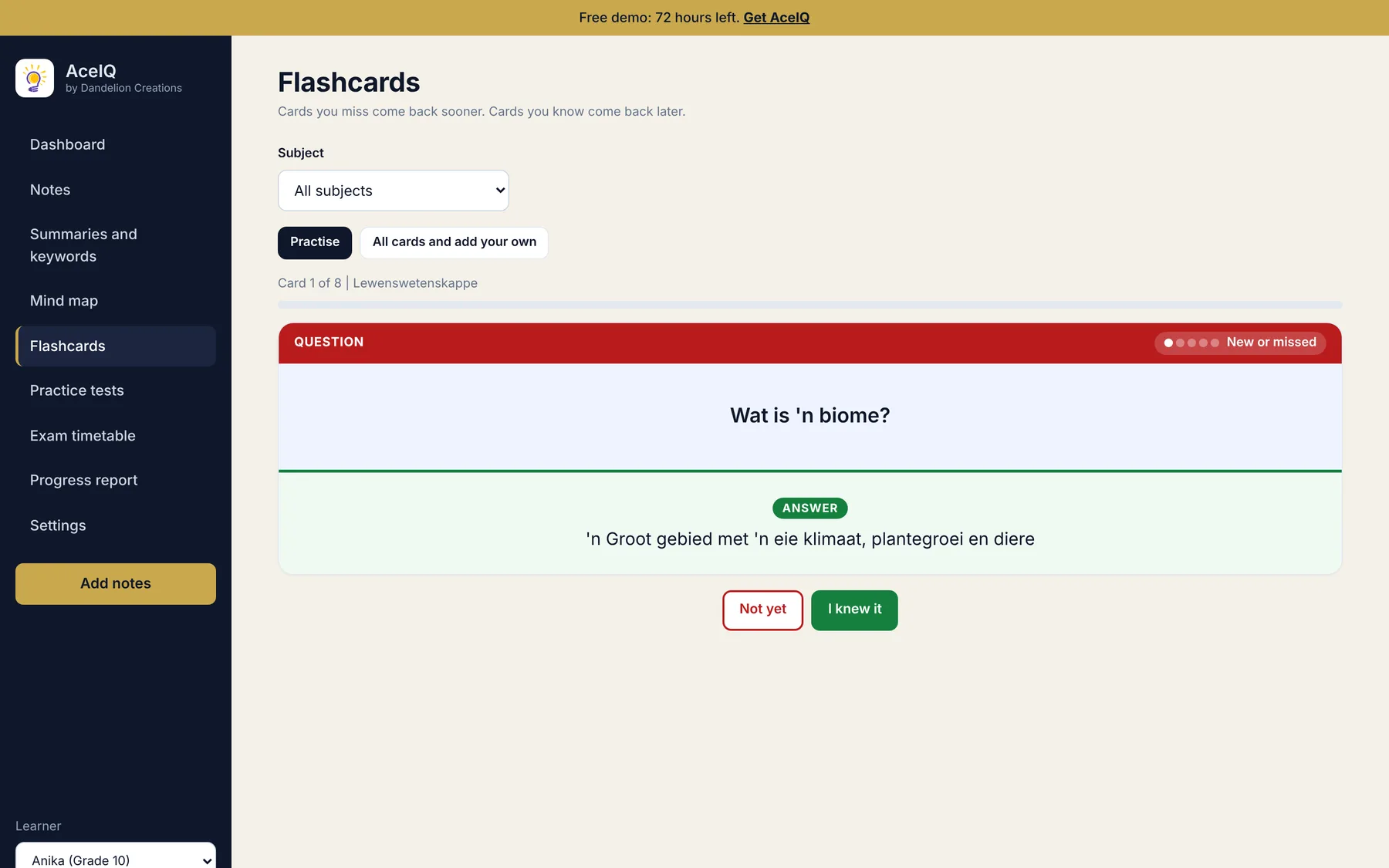
Flashcards
Cards you miss come back sooner. Cards you know come back later. Add your own cards too.
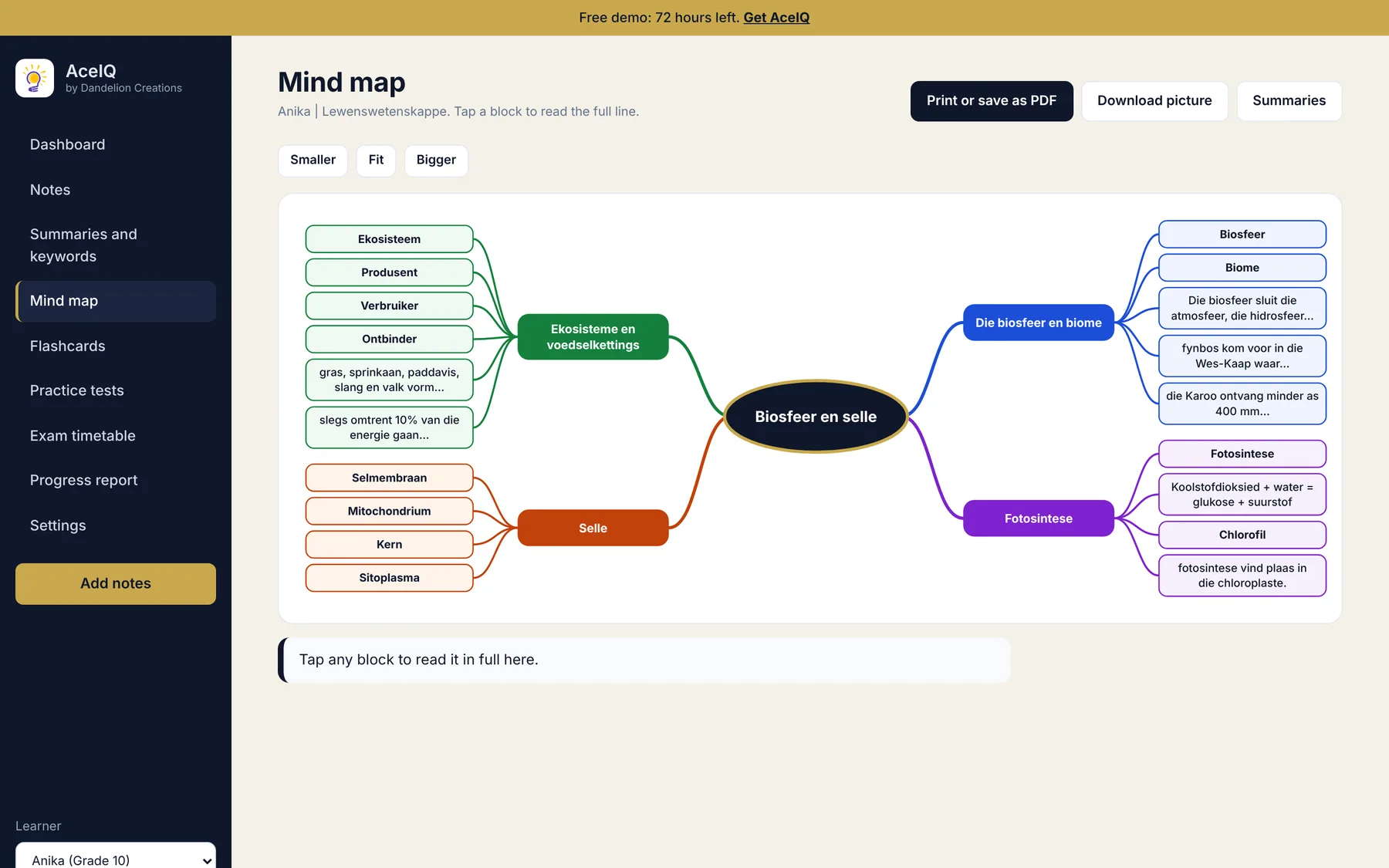
Mind maps
The summary drawn as a coloured map. Tap any block to read the full line, then download it as a picture.
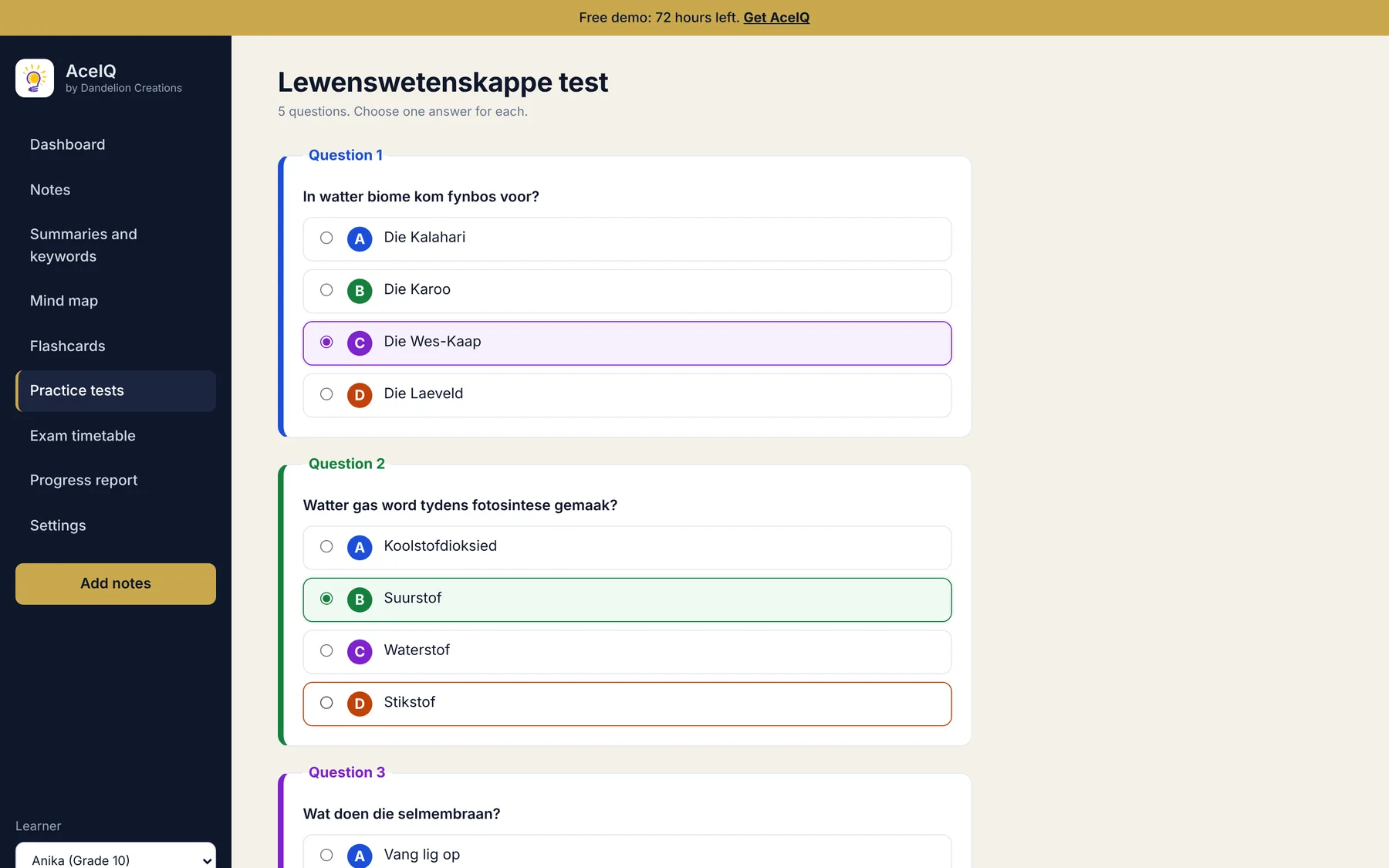
Practice tests
Multiple choice questions made from the notes. After each test you see what was right, what was not, and why.
Exam timetable
Add each exam from the school timetable. AceIQ plans one or two subjects a day, with the closest exam and the least ready subject first.
Progress report
See how ready each subject is, what was missed in tests, which flashcards are still not learned and how many days were studied. Print it for a parent or teacher.
See it in action
Real screens from the app, using Grade 10 Life Sciences notes in Afrikaans.
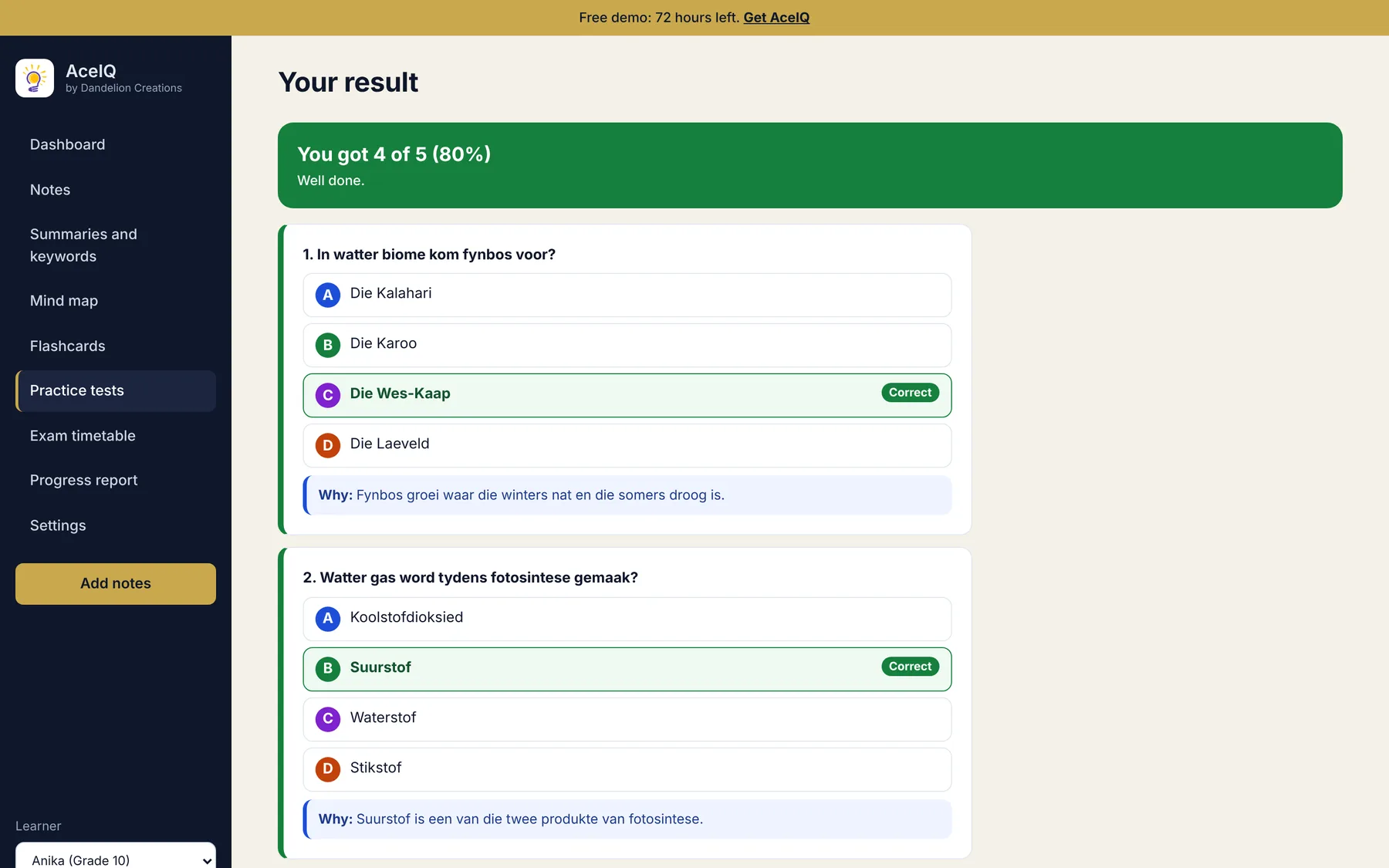
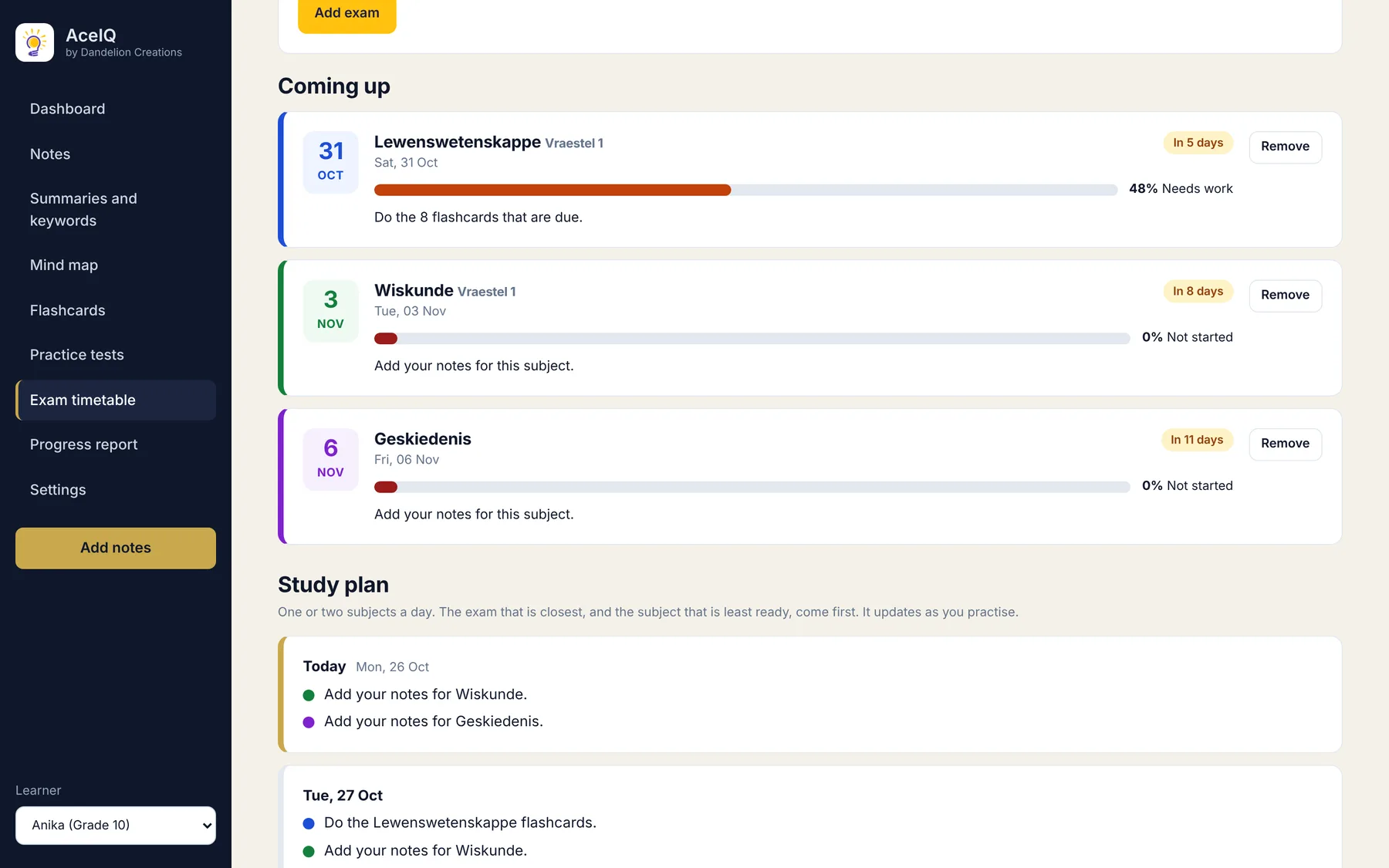
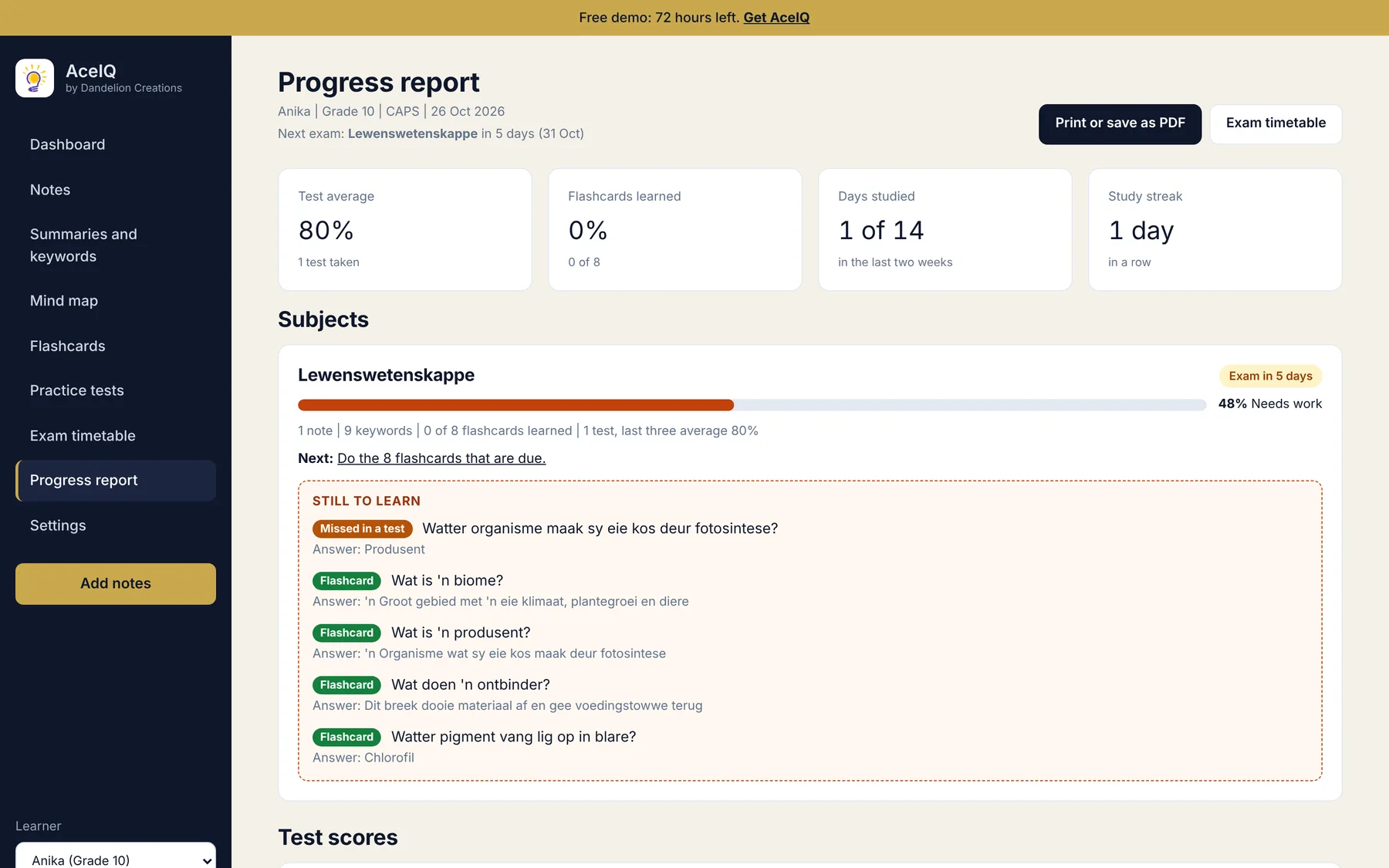
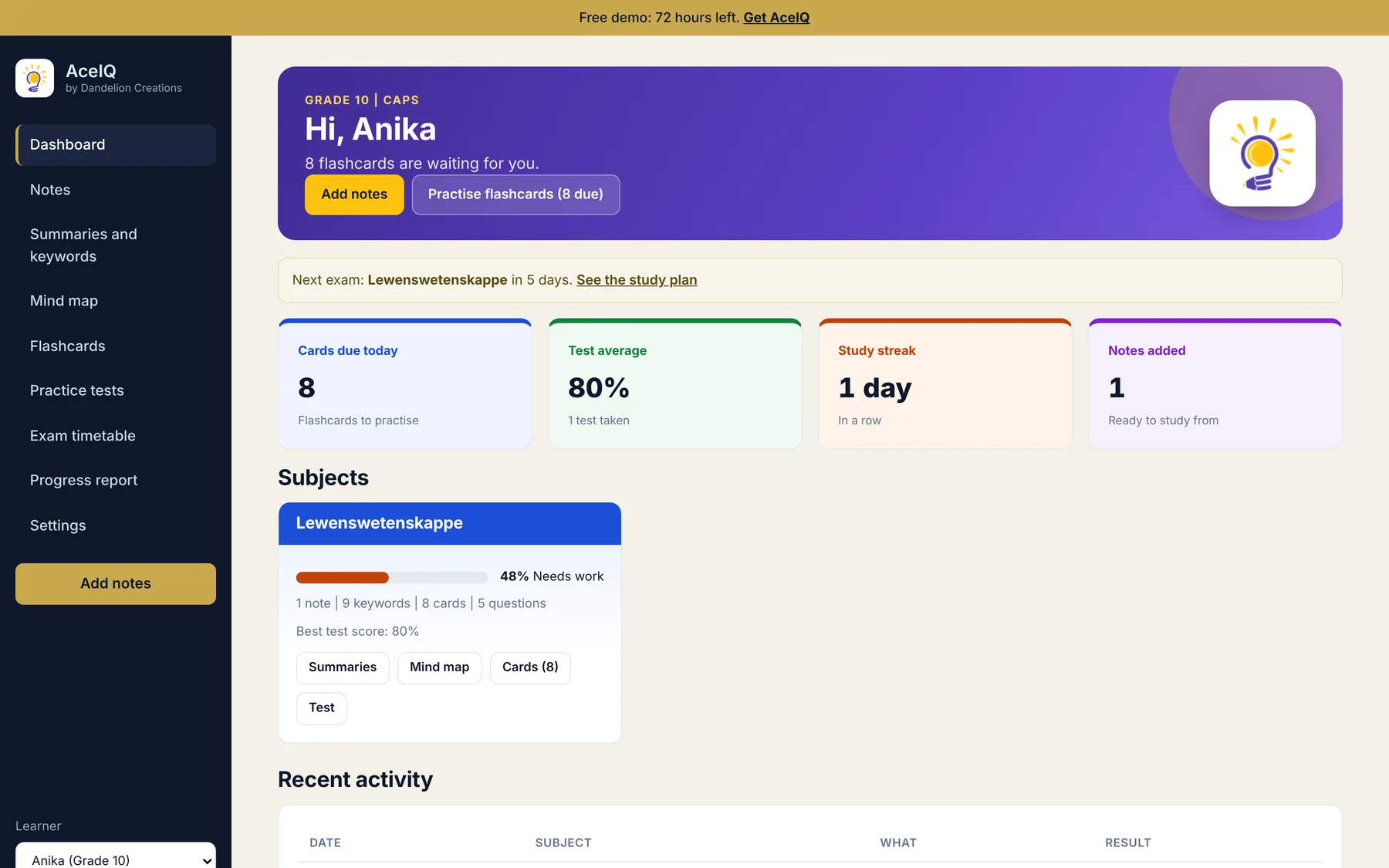
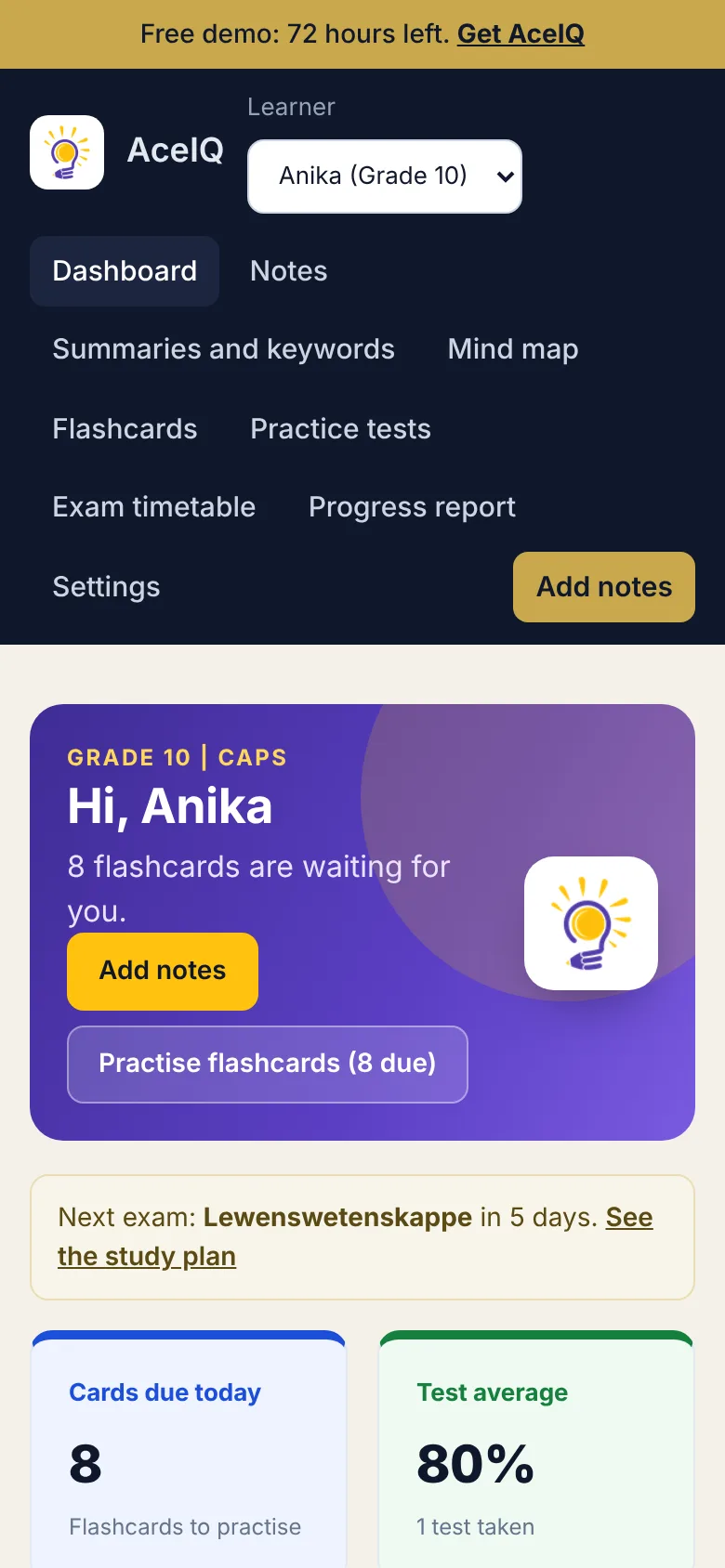
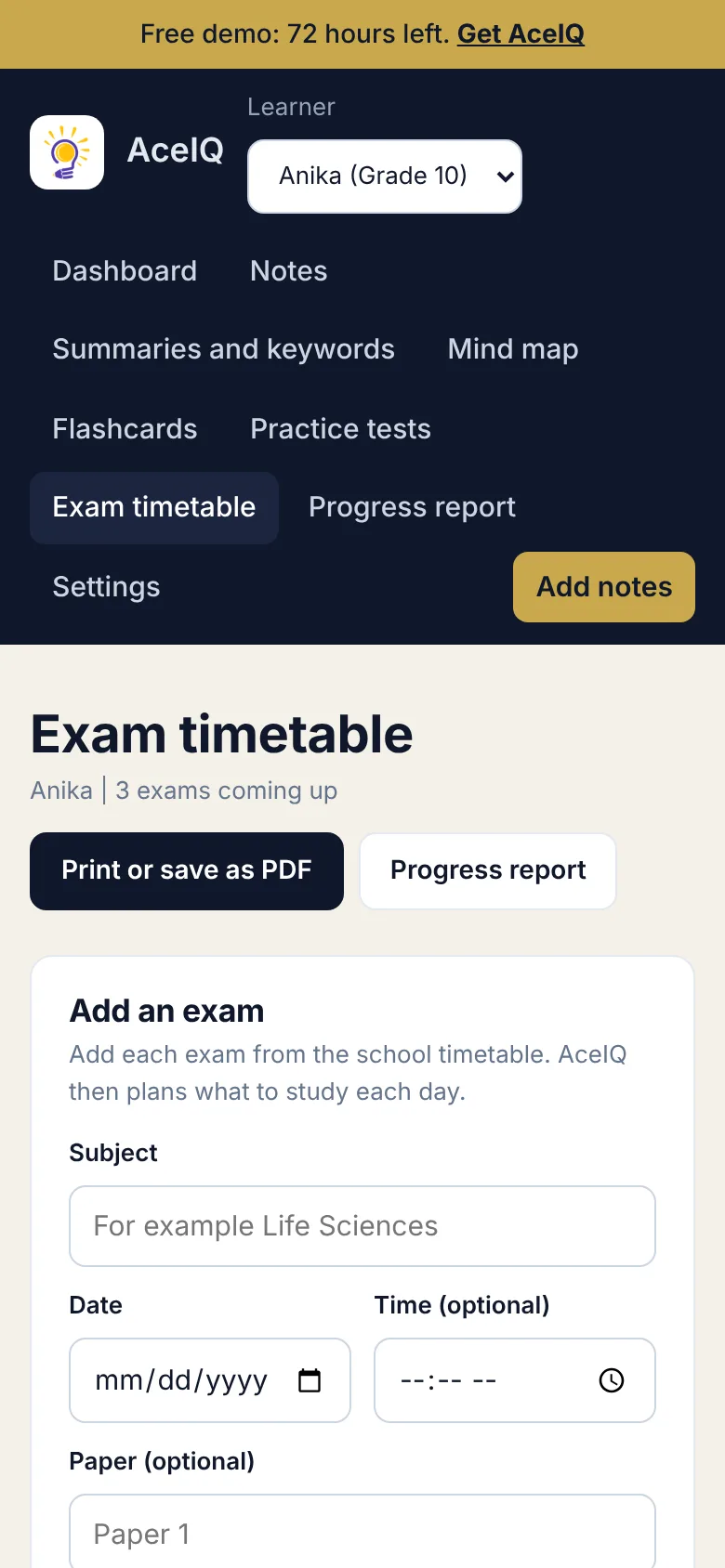
Screens show sample data.
What is inside
Everything a learner needs to go from notes to ready for the test.
- Notes from anywherePaste text, upload a PDF, a text file or photos of pages. Typed PDFs are read straight away. Scans and photos are read with Google text recognition.
- Whole term, not one pageLong notes are read in parts, so the last page counts as much as the first.
- MultilingualStudy material in English or Afrikaans, chosen for each learner. AceIQ writes in the language your notes are in, and Afrikaans letters come through correctly.
- Exam timetable and study planEvery exam with days left and how ready you are, and a day by day plan that updates as you practise.
- Progress reportReadiness for each subject, test scores, study days, and a list of what still needs to be learned. Print it or save it as a PDF.
- More than one learnerAdd every child in the family. Each one has their own notes, cards, scores and streak.
- Spaced flashcardsMissed cards return soon, known cards return later, so revision time goes where it is needed.
- Marked tests with reasonsTen questions at a time, marked for you, with a short explanation of every answer.
- Print and downloadPrint any summary, mind map, timetable or report, save the mind map as a picture, and download keywords and flashcards as a spreadsheet file.
- Private by designA long private key on your link. Your notes are stored in your own Google Sheet, not on our servers.
Pay once, keep it
No monthly fee, no renewal.
AceIQ
- AceIQ sheet and activation key
- Step by step setup guide
- 72 hour demo before you commit
- Exam timetable and progress report
- English and Afrikaans
- Unlimited learners and subjects
Running a business too? PayAbility handles invoices and BudgetAbility looks after household money.
Questions
Short answers.
Do I need to know how to code?
No. Setting it up is a handful of clicks and the guide shows each one.
Is there a monthly fee?
No. You pay once and it runs in your own Google account. The AI key is free from Groq and you add it yourself.
Which grades and curricula does it work for?
Grade 1 to Grade 12, and CAPS, IEB, Cambridge or any other. AceIQ works from the notes you give it, so it fits whatever your child is studying.
Is AceIQ multilingual?
Yes. Choose English or Afrikaans for each learner and the summaries, flashcards, mind maps and tests are made in that language. AceIQ writes in the language of the notes you give it. English and Afrikaans are what it is built and tested for, so other languages may need a closer look before you rely on them. The menus are in English.
How does the exam timetable work?
You add each exam with its date. AceIQ then plans one or two subjects a day until the last exam. The subject with the closest exam and the least practice comes first, and the plan changes as you do flashcards and tests.
What does the progress report show?
How ready each subject is, test scores, study days, and the questions and flashcards that still need work. Readiness comes from flashcards learned and recent test scores, so it is a guide and not a promise of marks.
Can it read scanned pages and photos?
Yes. Photos and scanned PDFs are read with Google text recognition. For these, keep each file to about 10 pages. Typed PDFs are read straight away and can be longer.
Can the AI make mistakes?
It can. AceIQ checks every line against your notes and drops anything that does not match, but you should still skim the summary against the textbook. It is a revision helper, not a replacement for the teacher.
Where are my notes stored?
In your own Google Sheet. We never see them. To make study material, the text of your notes is sent to Groq, the AI service, using your own key.
Does it work on a phone?
Yes. Open your private link in the phone browser and add it to the home screen. You need a connection to make new study material.
Can I try it first?
Yes. AceIQ includes a 72 hour demo with every feature. The demo can be started once on each sheet.
Why is the price changing next year?
R199 is a year end special. From 2027 AceIQ costs R499. Buy before then and the special price is yours.
Less reading. More revising.
Set AceIQ up once and turn every set of notes into something a learner can actually use.
Get AceIQ, R199