 Dandelion Creations
Clients book themselves. You own the system.
Clients pick a time from a link or a QR code. You see every booking in a private app that runs on your own Google Sheet. Pay R499 once. There is no monthly fee.
Runs on your own Google account. A 72 hour trial is built in. Make your own copy of the demo sheet to try it first.
Best for one business that takes appointments or consultations by the hour.
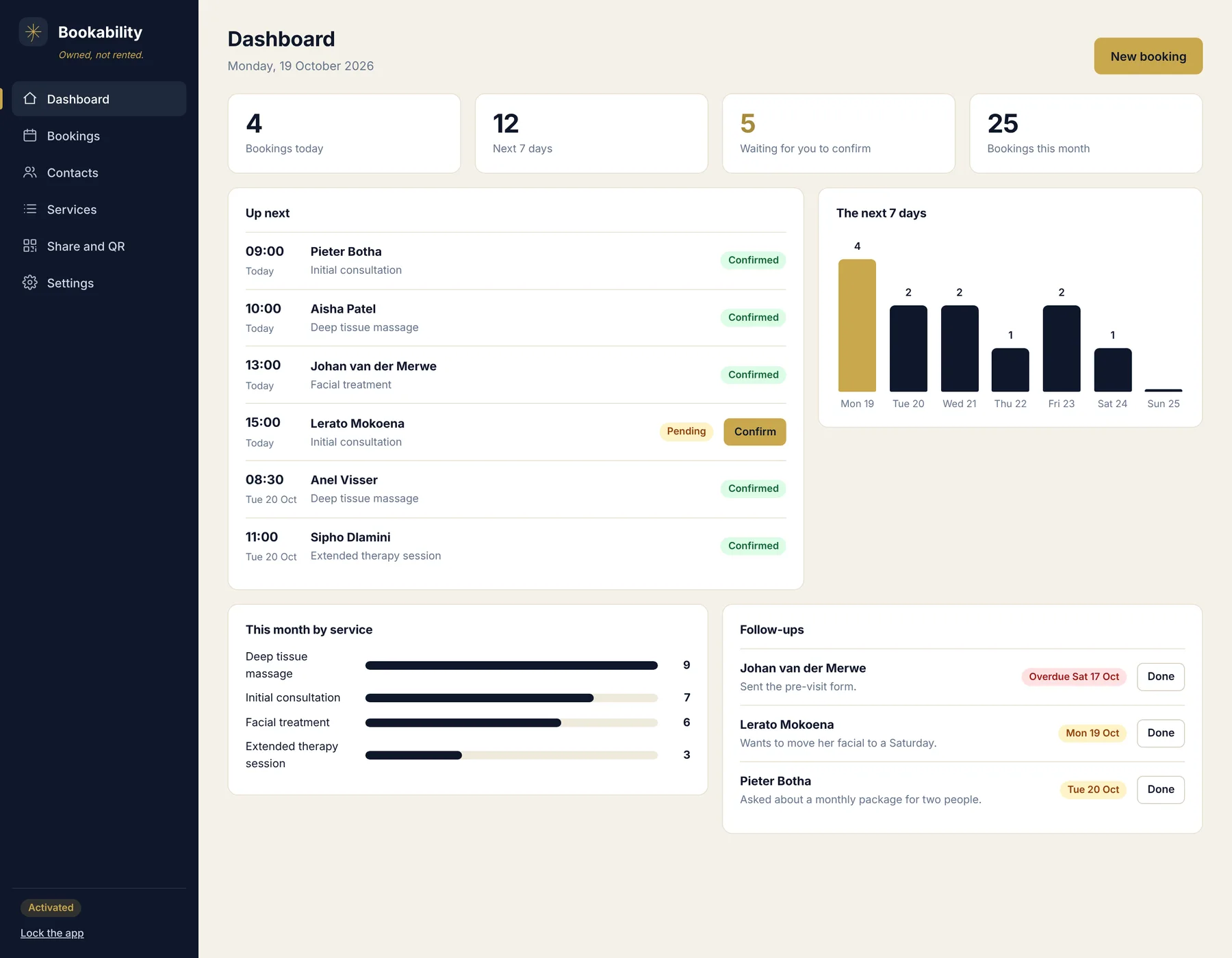
Most booking tools rent you a calendar
A lot of booking software charges every month for what is mostly a calendar and a form. Stop paying and the booking page goes with it. With BookAbility you pay once, and all of it sits in your own Google account.
How you get going
Copy the sheet
Make a copy of the Google Sheet and paste the BookAbility files into it.
Deploy it
Deploy it as a web app. You get two links: a private one for you and a public one for clients.
Add your services
Set your services, how long each takes, your opening hours and your days.
Share the link
Put the link on your website and WhatsApp, or print the QR code for your door.
The buyer guide walks you through each step.
This is the real app
Every picture here is a screenshot of BookAbility running. The business and the people in them are made up.
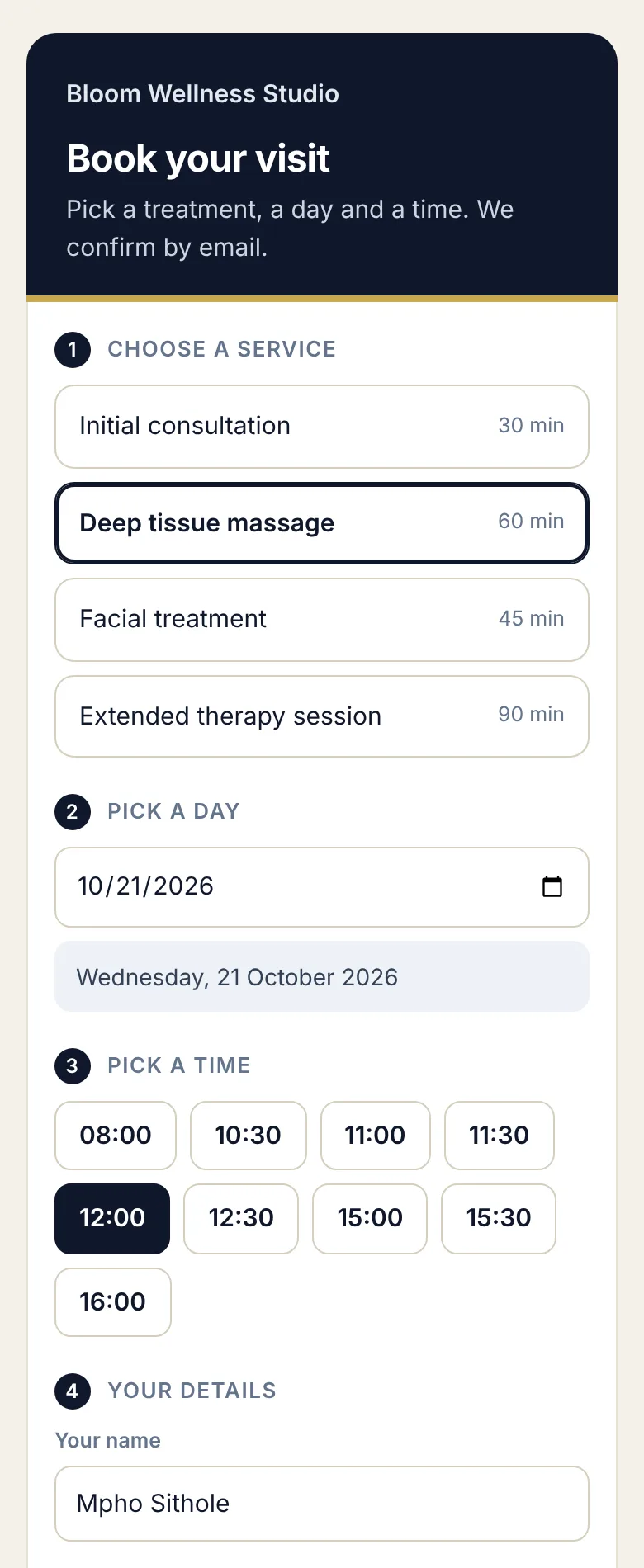
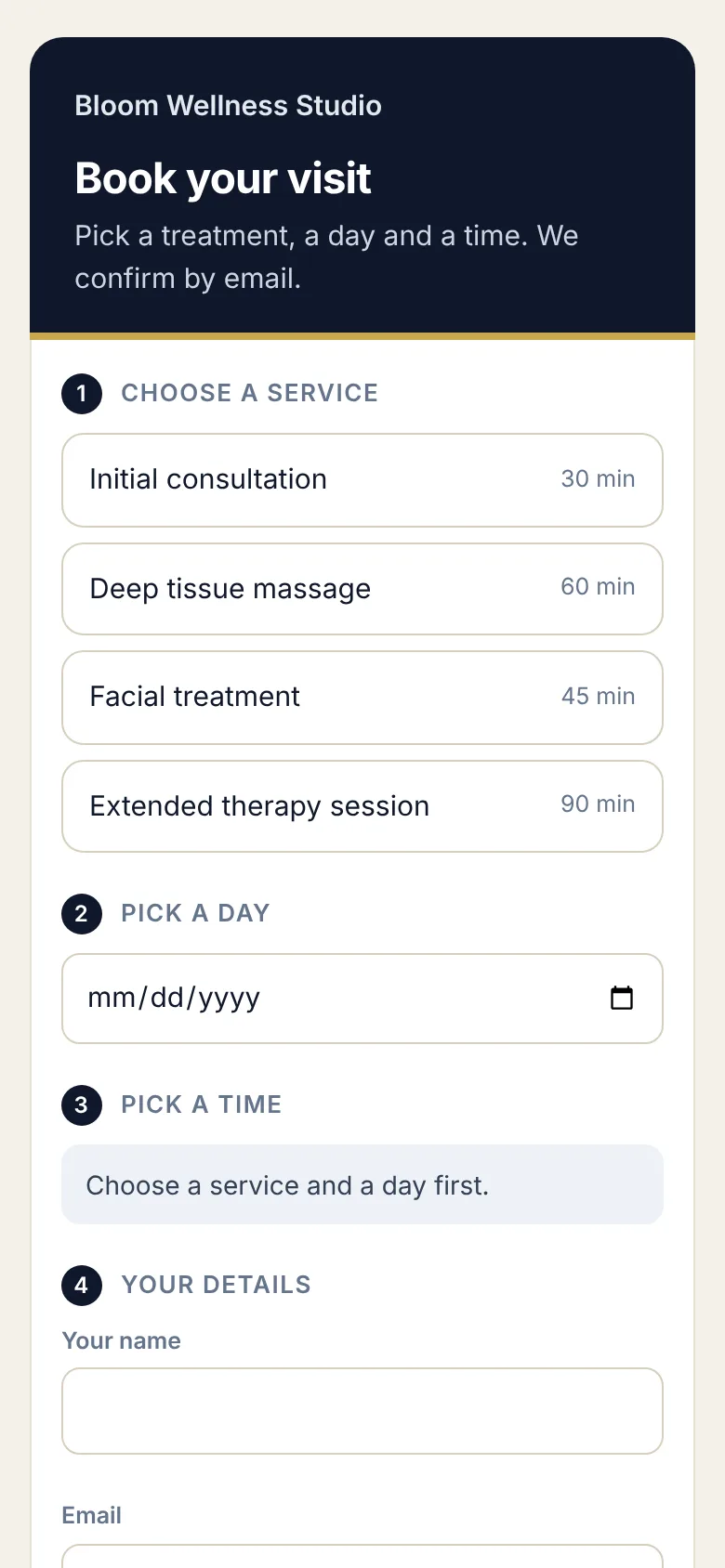
What your client sees. They pick a service, a day and a free time.
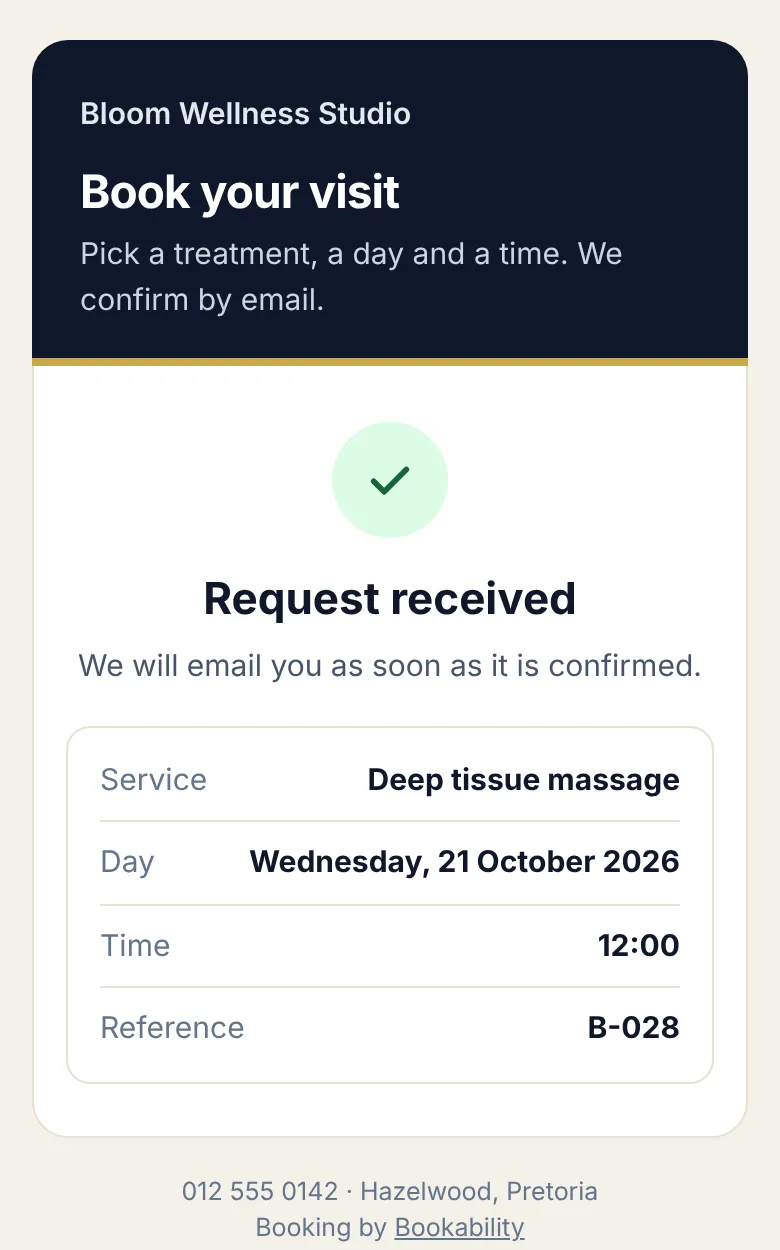
Then a clear confirmation with the day, the time and a reference number.
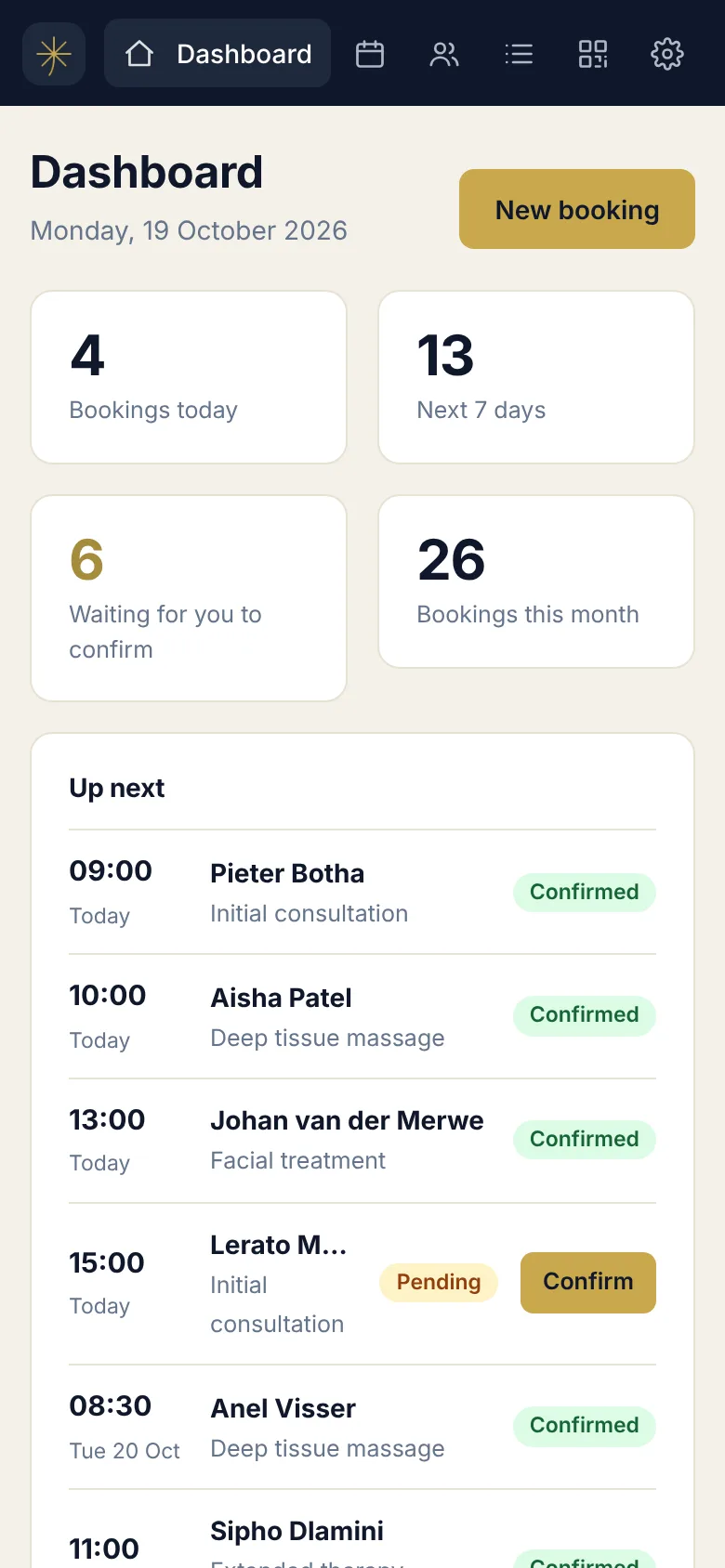
Your side works on a phone too. Confirm a booking from wherever you are.
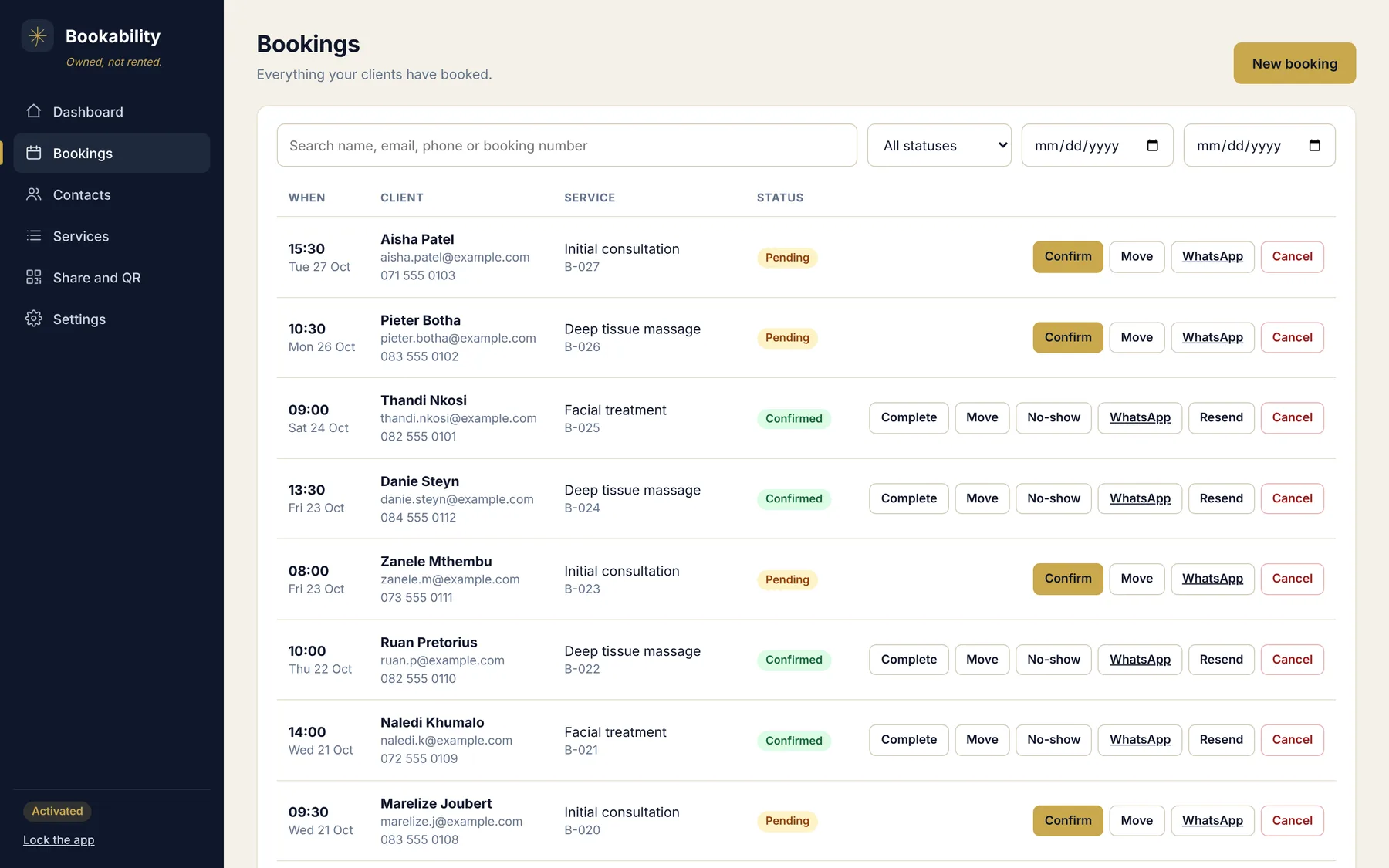
Every booking in one list. Confirm, move or cancel. Message the client on WhatsApp.
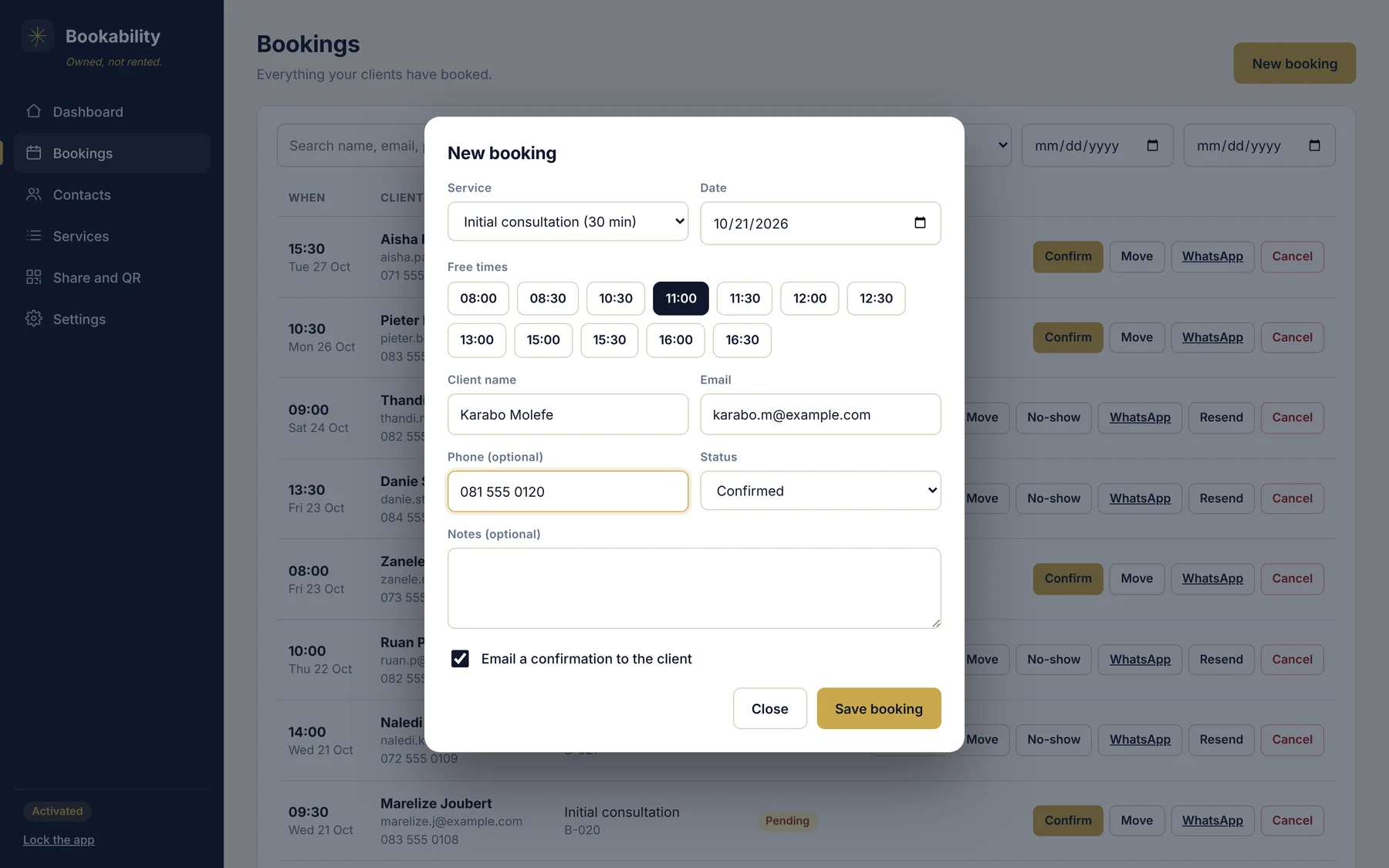
Only free times are offered. You cannot double book yourself.
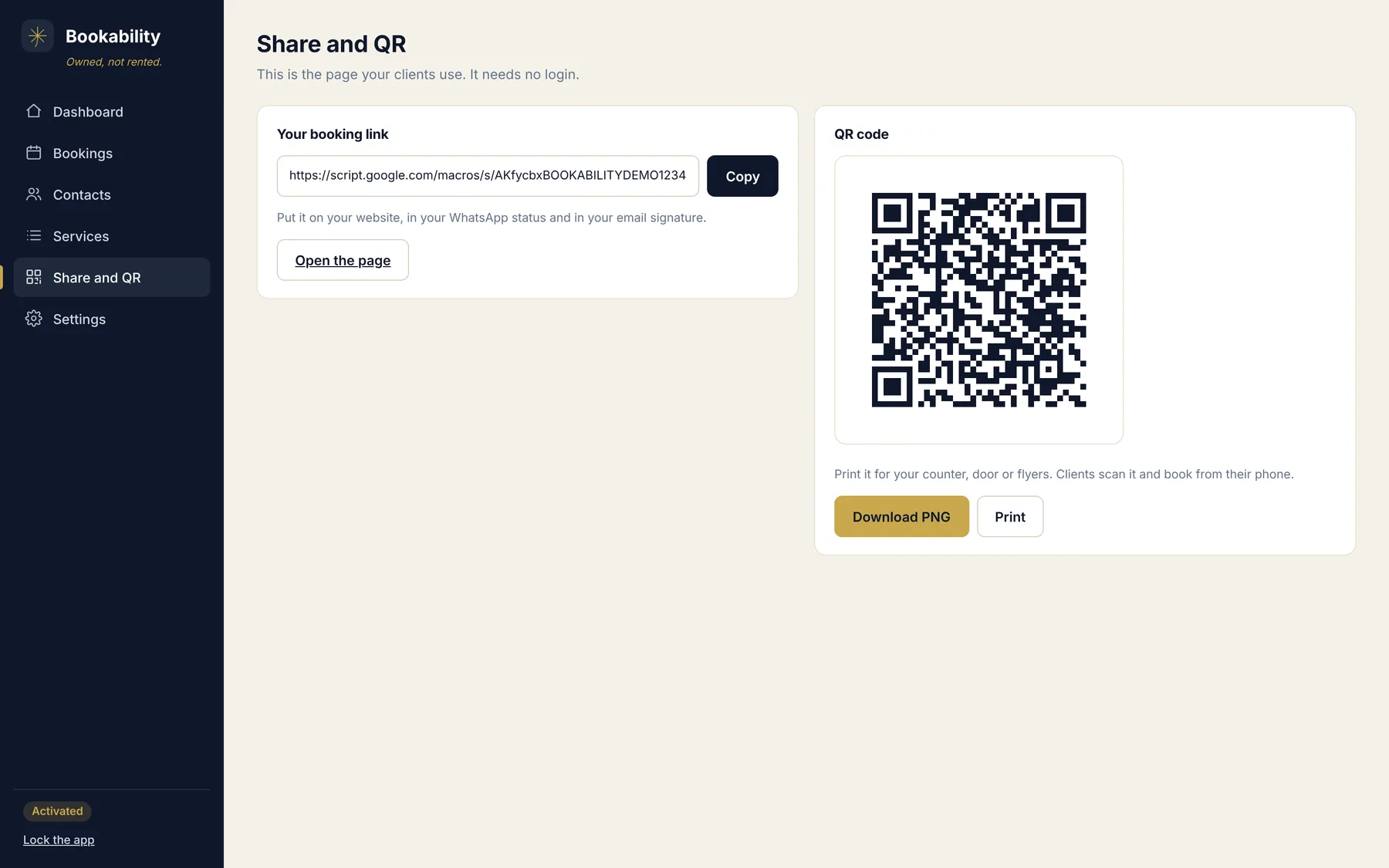
A link and a QR code. Print it, post it, put it in your signature.
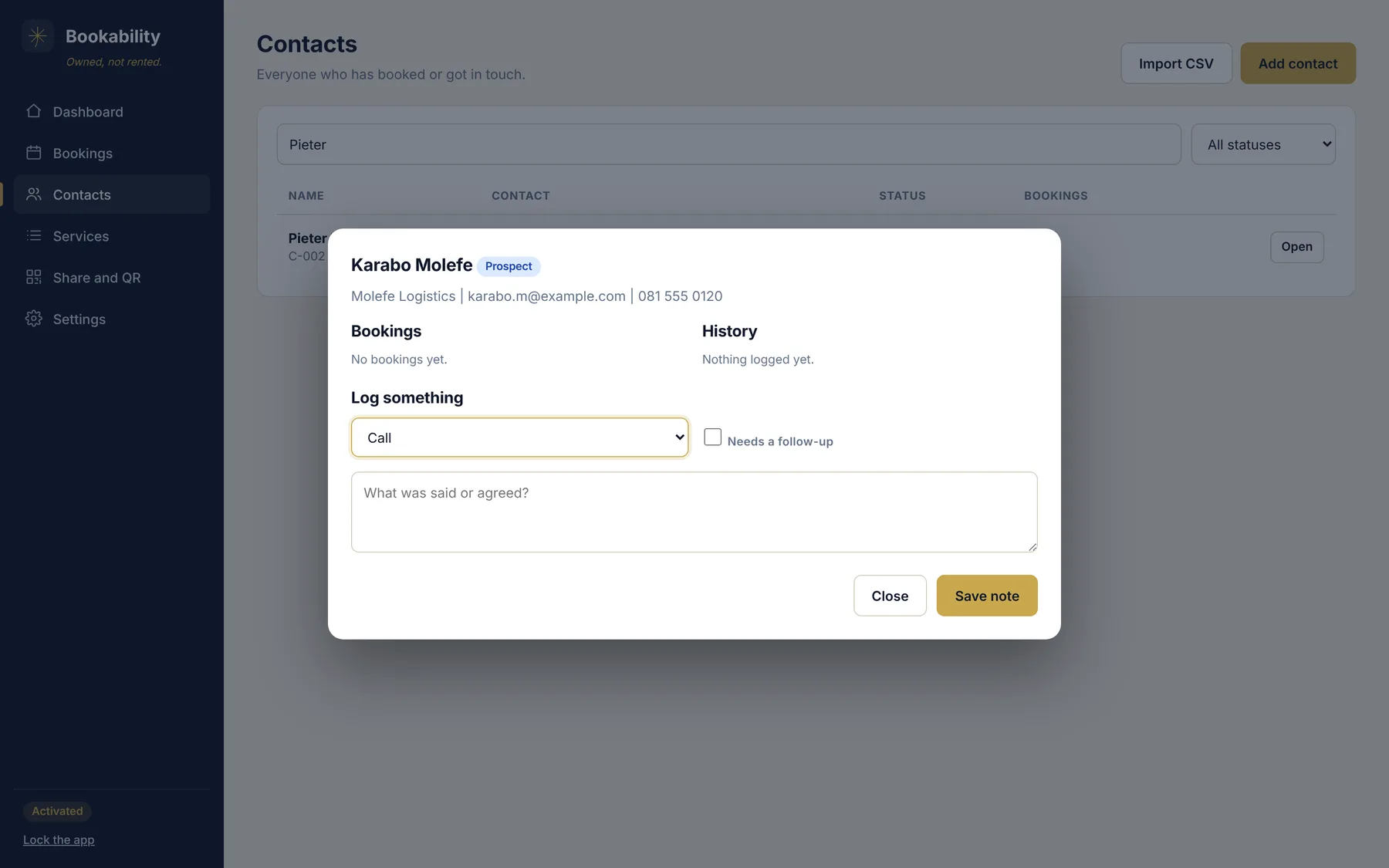
A history for every client. Bookings, notes and follow-up dates.
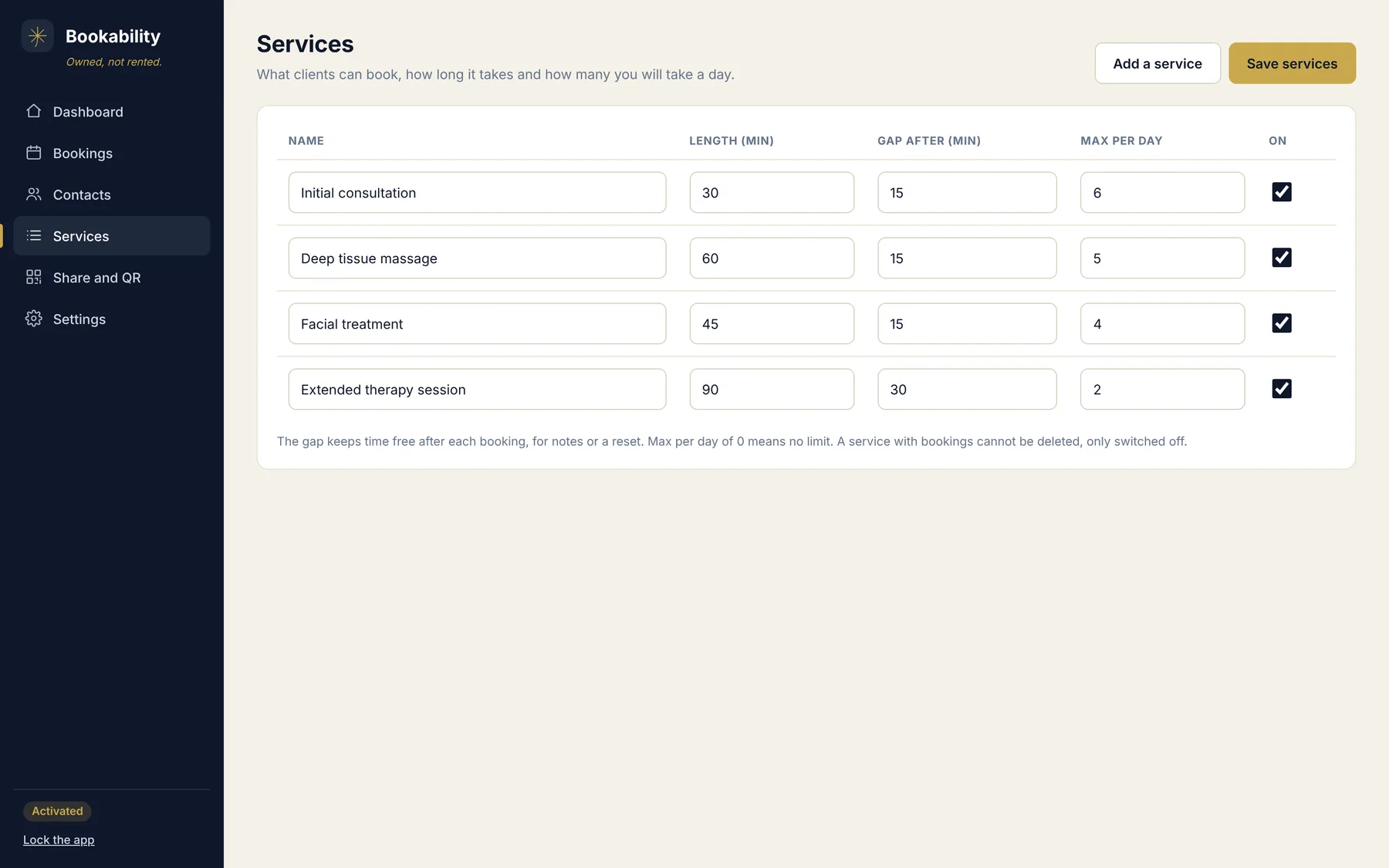
Your services. Set the length, a gap afterwards and a daily limit.
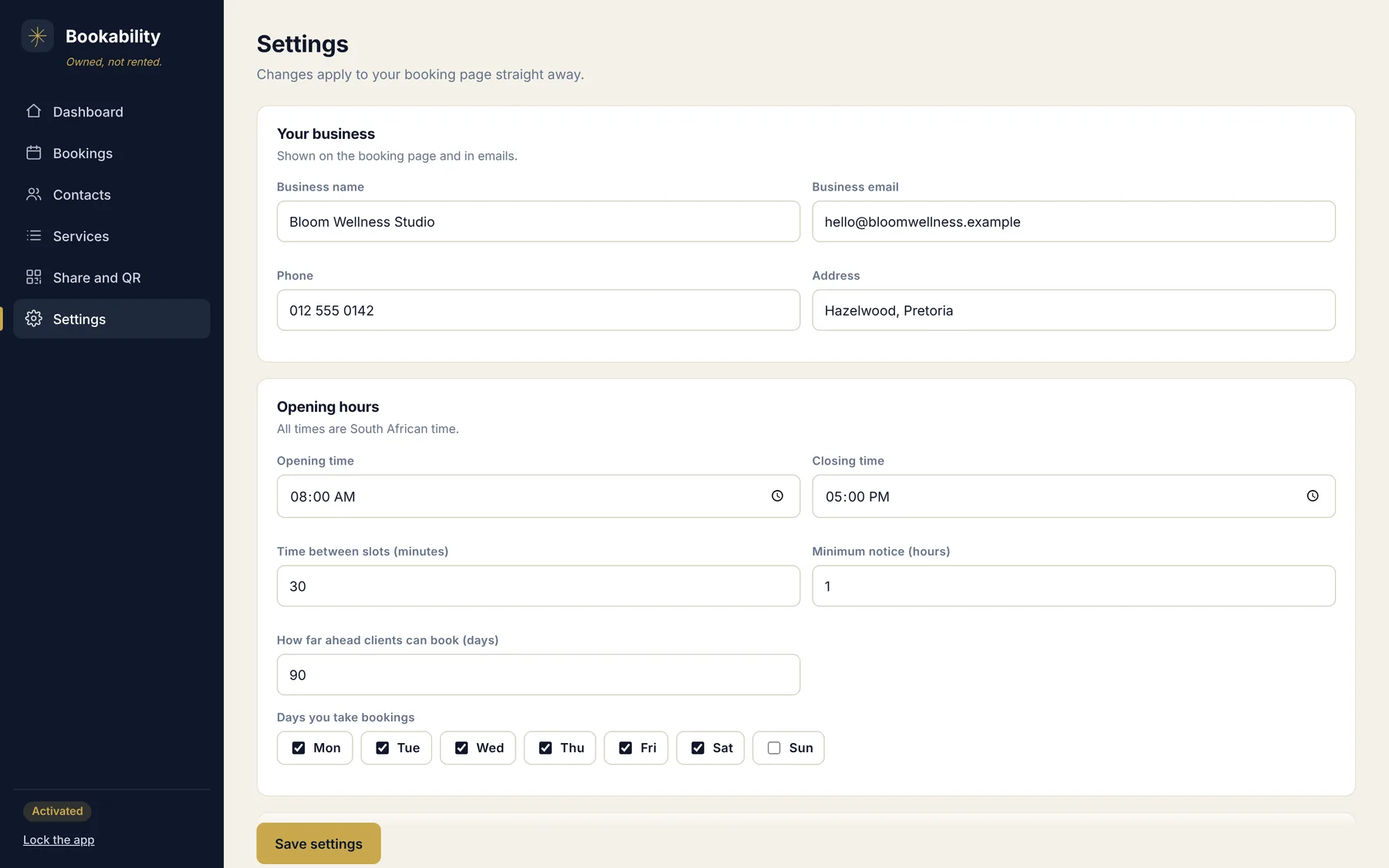
Your hours and your wording. Days, times, colour and the email clients receive.
Screenshots use demo data.
Everything a booking page needs
A public booking page
Clients book without an account. It works on a phone.
No double bookings
Overlapping times are blocked, and you choose a gap to keep free after each booking.
Daily limits
Cap how many of each service you take in a day.
South African time
Every time is Africa/Johannesburg time, so a late night booking lands on the right day.
Confirmation emails
Send one when you confirm, or switch on auto-confirm. Write the email in your own words.
A WhatsApp link
One tap opens a message to the client with their booking details filled in.
A private admin
Your admin app sits behind a private link and a PIN that you choose.
A client list
Everyone who books is saved with their history. Add notes and follow-up dates.
Google Calendar
Optional. Confirmed bookings go onto your calendar, and your other events block those times.
What changes when you own it
| A booking subscription | BookAbility | |
|---|---|---|
| What you pay | Every month, for as long as you use it | R499 once |
| Where your data lives | On the company's servers | In your own Google Sheet |
| If you stop paying | Your booking page goes away | Nothing changes. It is yours |
| Your client list | Kept inside the tool | A sheet you can open and export any time |
The left column describes how subscription booking tools usually work. Terms differ from one tool to the next.
One price
- The full app: booking page, admin, client list and QR code
- Your own private link and PIN
- A 72 hour trial built in
- A step by step buyer guide
- No subscription and no renewal
Questions before you buy? Message us on WhatsApp: +27 72 839 3087
Good to know
Do I need to know how to code?
No. You copy and paste files into a Google Sheet, follow the guide and click Deploy. If you get stuck, message us on WhatsApp.
Where is my data kept?
In a Google Sheet in your own Google account. We never see your bookings or your clients.
Do my clients need an account?
No. They open your link, pick a time and type their name and email.
What do I need?
A Google account. A free Gmail account works.
Can I try it first?
Yes. Every copy has a 72 hour trial built in.
What if two people pick the same time?
Whoever books first gets it. The second person is told the time was just taken and is shown the free times again.
Are there any limits?
Google limits how many emails an account can send in a day. At the time of writing that is 100 recipients for a free Gmail account, and more for Google Workspace. Confirmation emails count towards it.
Can I change the colours and the wording?
Yes. You can change the colour, the logo, the page title, your opening hours and the text of the confirmation email.
Does it work outside South Africa?
The booking times are set to South African time. If you are in a different time zone, message us before you buy.
Own your bookings
Pay once. Keep your data. Let clients book while you get on with the work.
Get BookAbility for R499Also from us: ConnectAbility keeps your clients and follow-ups, PayAbility sends the invoice.